Design System
E-commerce Website
Creation and maintenance of an enterprise-level design system for an e-commerce website.
Role: UX/UI designer
What triggered the creation of a design system?
![]()
Educate the team
The team did research using various webinars, books, and articles, including:
Identify system definition and objectives
A design system is a visual language comprised of styles, components, and guidelines to help designers and developers create unified experiences.
Objectives:
Create a structure
We benchmarked other design systems to see how teams were organizing and categorizing their UI. I partnered with a developer to evaluate our front-end architecture and align the system categories accordingly.
![]()
Consolidate existing content
Our teams had several sources of truth, so we used Google Docs to aggregate information that aligned with the agreed-upon information architecture. This document was shared to enable team members to track progress and provide comments as needed.
![]()
Determine guiding principles
I set up time for key stakeholders to brainstorm site experience principles. The goal was to describe the best qualities of the site today, but also lay the foundation for future experiences. This session yielded three principles that provided a shared perspective and point of view for future experience strategy, creative direction, and related areas.
![]()
Step 6: Conduct an extensive UI audit
Some parts of the system were working well and were easy to document. However, several key areas lacked clarity, resulting in multiple versions of the same component. From this audit, I identified some core elements that warranted immediate discussion.
![]()
Align on foundations and core elements
We reviewed the “source of truth” document, which outlined a holistic perspective on visual hierarchy and design. This initial discussion helped the team align on the need to create a cohesive experience across the site. We then had more detailed discussions on specific components, including buttons (styles, descriptions, usage), headings (fonts, styles, standards), and links.
Refine the documentation
Our product teams use Jira for ticket tracking and Confluence for collaborative documentation, so we decided to host the official first version of our design system in Confluence.
![]()
Create internal tools for faster design
In conjunction with the Confluence documentation, I created various tools to help expedite the design process including:
Define governance plan
We created an initial governance plan that outlined how the system team supports component iteration and how to contribute new features or enhancements. We continued to refine it with each sprint cycle.
Creation and maintenance of an enterprise-level design system for an e-commerce website.
Role: UX/UI designer
What triggered the creation of a design system?
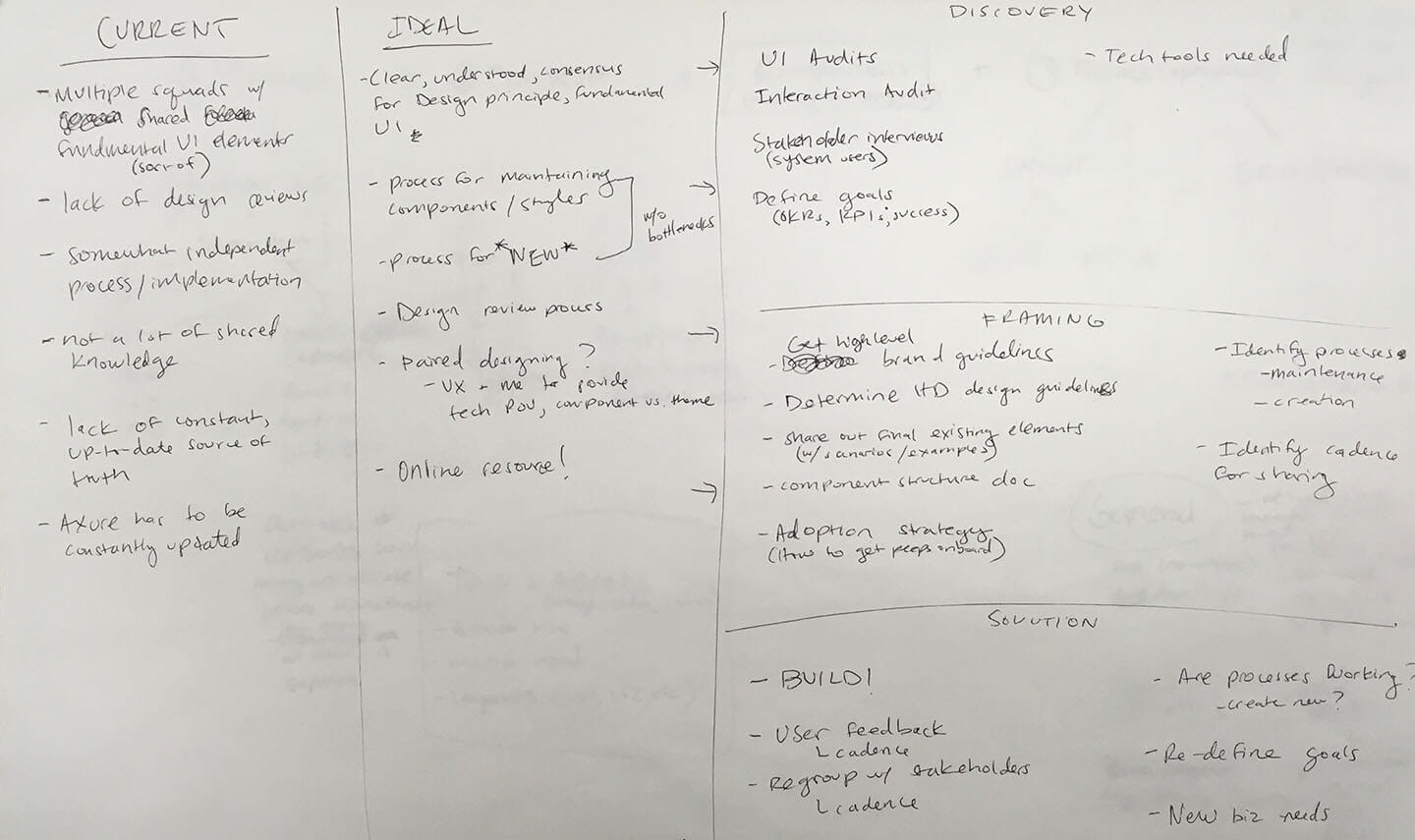
- Multiple product squads with independent processes.
- Lack of shared knowledge.
- Difficulty with maintaining an up-to-date source of truth.
Process
Educate the team
The team did research using various webinars, books, and articles, including:
- Initiating a Design System for the Enterprise from NNg
- Design systems—Zero to one
- Creating a Design System: A Practitioner's Case Study
- Design Systems book
Identify system definition and objectives
A design system is a visual language comprised of styles, components, and guidelines to help designers and developers create unified experiences.
Objectives:
-
Provide a shared language for designers and developers.
- Manage design and development at scale.
- Scale knowledge across disciplines.
- Communicate what the site is and what it strives to be.
- Solve the easy problems so product squads can solve the hard ones.
Create a structure
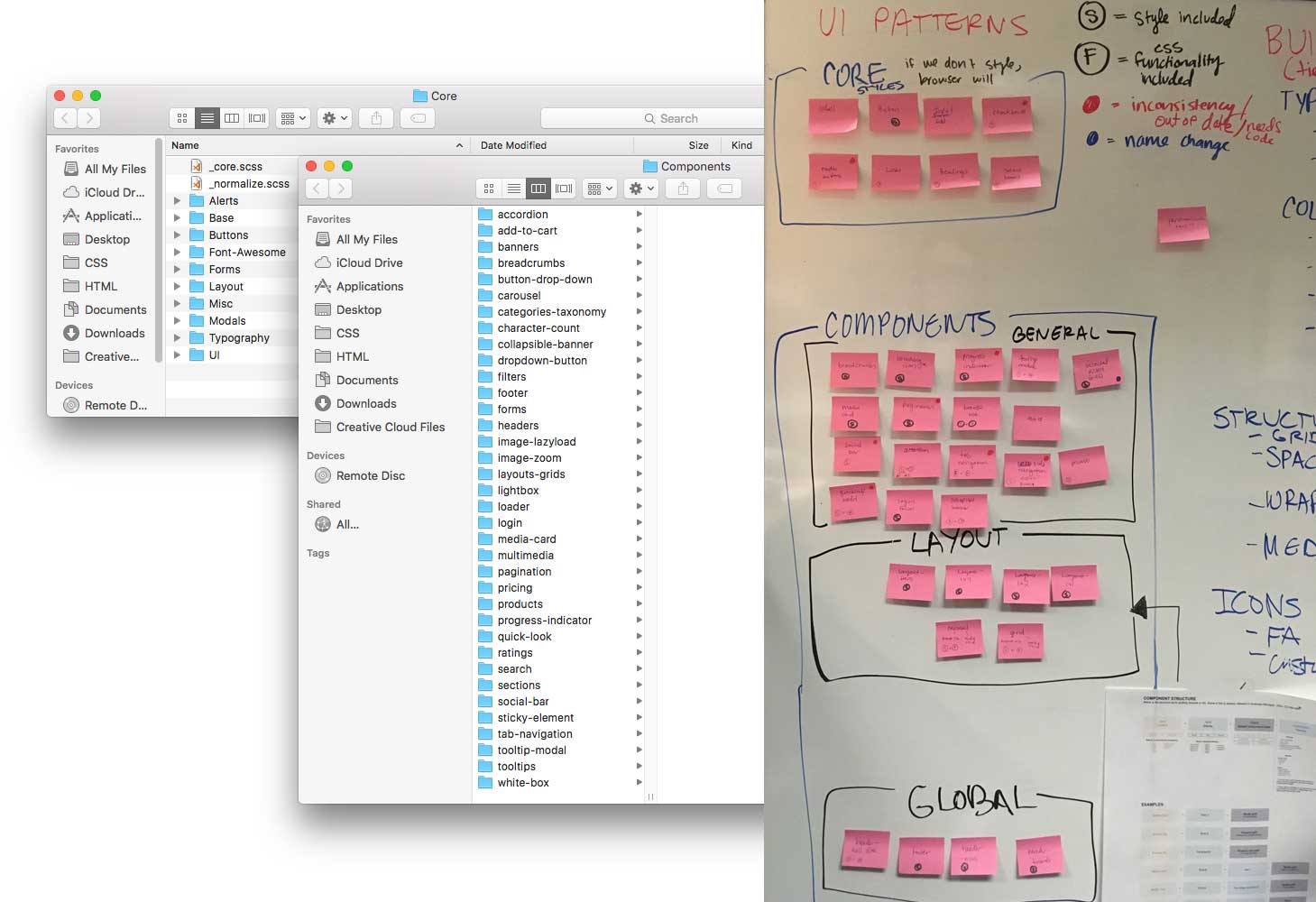
We benchmarked other design systems to see how teams were organizing and categorizing their UI. I partnered with a developer to evaluate our front-end architecture and align the system categories accordingly.
Consolidate existing content
Our teams had several sources of truth, so we used Google Docs to aggregate information that aligned with the agreed-upon information architecture. This document was shared to enable team members to track progress and provide comments as needed.

Determine guiding principles
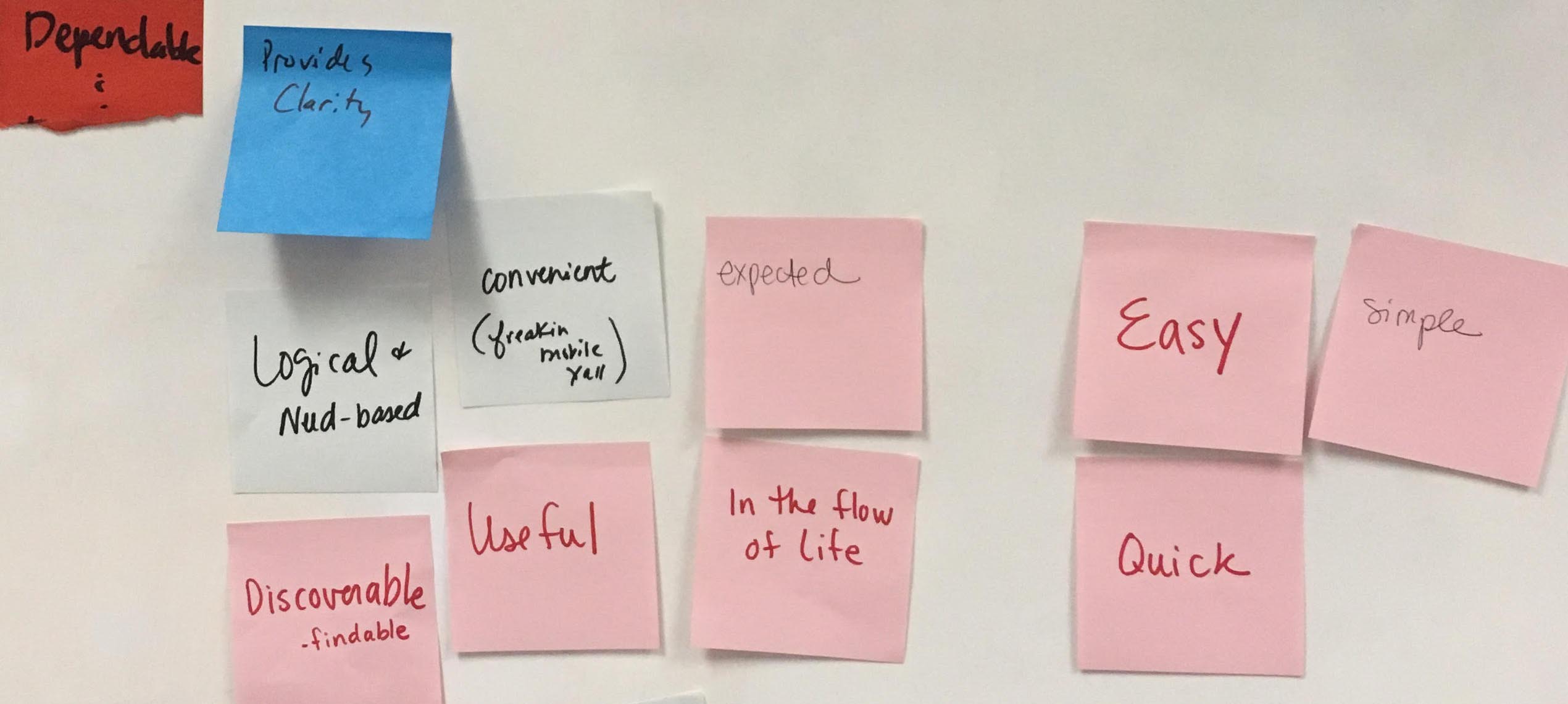
I set up time for key stakeholders to brainstorm site experience principles. The goal was to describe the best qualities of the site today, but also lay the foundation for future experiences. This session yielded three principles that provided a shared perspective and point of view for future experience strategy, creative direction, and related areas.
Step 6: Conduct an extensive UI audit
Some parts of the system were working well and were easy to document. However, several key areas lacked clarity, resulting in multiple versions of the same component. From this audit, I identified some core elements that warranted immediate discussion.

Align on foundations and core elements
We reviewed the “source of truth” document, which outlined a holistic perspective on visual hierarchy and design. This initial discussion helped the team align on the need to create a cohesive experience across the site. We then had more detailed discussions on specific components, including buttons (styles, descriptions, usage), headings (fonts, styles, standards), and links.
Refine the documentation
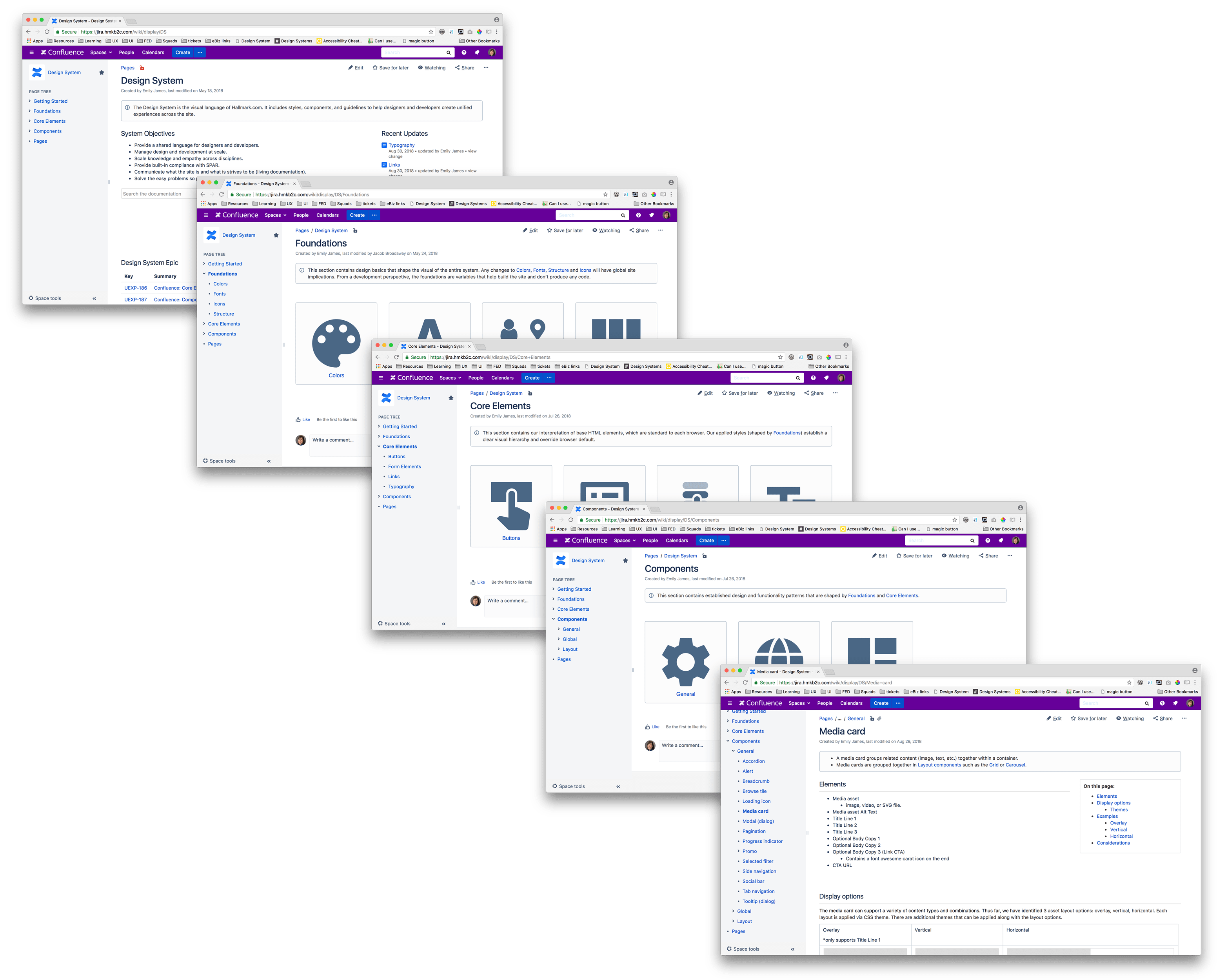
Our product teams use Jira for ticket tracking and Confluence for collaborative documentation, so we decided to host the official first version of our design system in Confluence.
Create internal tools for faster design
In conjunction with the Confluence documentation, I created various tools to help expedite the design process including:
- Axure widget library and file template
- Sketch symbols and file template
- Photoshop component templates
Define governance plan
We created an initial governance plan that outlined how the system team supports component iteration and how to contribute new features or enhancements. We continued to refine it with each sprint cycle.